Design in plain language
Write or say what you need, with dimensions, compartments, doors and drawers. Revisions work the same way, and the 3D model and price update with every change.
 Build with us ↗
✳ DEVELOPED BY BAYLIVO
FurnAI is design and production preparation software that BAYLIVO develops for panel furniture manufacturers. Cabinets, wardrobes, TV units, kitchen and bathroom modules are designed by describing them, with their dimensions, in English or Turkish. The same design produces the parts list, sheet nesting, CNC programs, part labels and the assembly guide.
The product family is called FurnAI Studio. Users with an account sign in at furnai.baylivo.com.
01 — WHAT FURNAI DOES
In FurnAI the design, the technical drawings and the machine programs are not drawn separately. Every output is calculated from the same model, so when a dimension changes the parts list, the nesting and the programs change with it.
Write or say what you need, with dimensions, compartments, doors and drawers. Revisions work the same way, and the 3D model and price update with every change.
Every panel is listed with its cutting size, material, thickness and banded edges. Edge band allowance is included in the cutting size, and the banding plan is given part by part.
Parts are nested on the sheet to reduce offcuts. Drilling, grooves, door patterns and contours are exported as G-code for your machine.
Cutting plans for panel saws are exported as PTX, Mayer MAY, CSV and PDF.
Drilling and grooving operations are exported to boring machines as MPR, CIX and XXL files.
Patterned CNC door models, CNC handle types and a tool assignment list. The pattern is built from the same geometry in the 3D view, the nesting and the program.
Part labels print in your company layout; scanning the QR code shows which job and which cabinet the part belongs to.
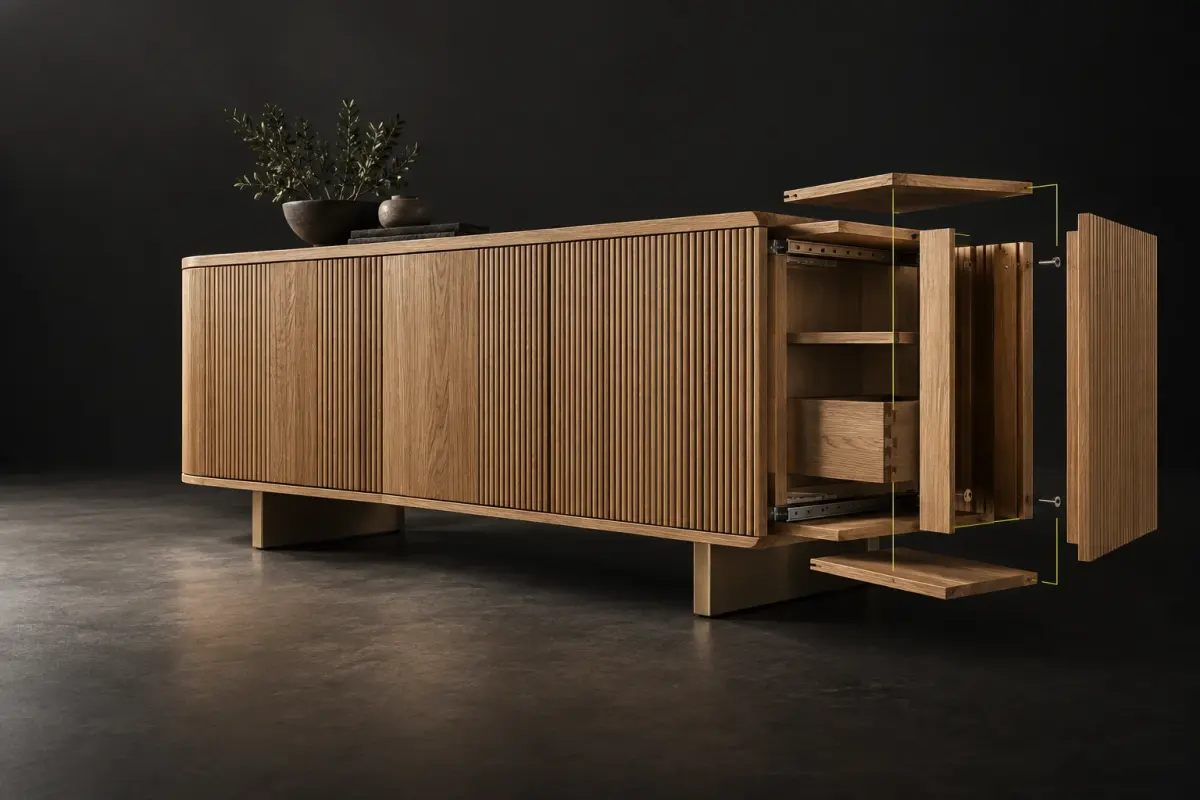
Exploded views, a step-by-step assembly sequence and a PDF assembly guide come from the same design.
Several products are placed in one room. Modules are split and fitted around walls, columns and beams.
With FurnAI Cut, parts are entered by hand, imported from Excel / CSV, or read from DXF, DWG, STEP and SAT files.
02 — MACHINE SUPPORT
FurnAI writes programs for CNC routers in Mach3 (.nc, .tap), GRBL (.gcode), Fanuc and Syntec (.cnc) and ISO 6983 (.iso) formats. For panel saws it exports PTX and Mayer MAY, and for boring machines MPR, CIX and XXL.
For a controller that is not on the list, you upload a program that already runs on your machine. FurnAI learns how that program is written and produces its own programs in the same style, with the same file extension. Final compatibility depends on your controller and is confirmed together during a pilot.
03 — WHERE AI IS USED
AI only turns your sentence into a design command the application understands. Dimensions, drilling, nesting, G-code and labels come from a rule-based calculation engine that is checked by automated tests, so the same design always produces the same program.
If a requested size cannot be manufactured, FurnAI keeps the design as it is and explains why. Programs can be watched in simulation and require operator approval before they go to the machine.
04 — WHERE IT RUNS
FurnAI runs in the browser with nothing to install. There is also a macOS desktop app and apps for iOS and Android. The interface is available in English and Turkish.
It is built for furniture workshops, panel furniture manufacturers, kitchen and bathroom cabinet makers, and for dealers and designers who want to hand their customers a production-ready project.
05 — FAQ
FurnAI is design and production preparation software for panel furniture. From a furniture brief written in plain language it produces a 3D model, parts list, nesting, panel saw, boring and edge banding files, and CNC G-code.
FurnAI is developed by BAYLIVO, a software company based at Denizli Teknopark, Türkiye. FurnAI Studio is a TÜBİTAK 1812 BİGG project.
They are the same product. FurnAI is the short name of the application; FurnAI Studio is the product family offered as the Design, Cut, Flow and Factory plans. The plans are explained on the FurnAI Studio page.
Users with an account sign in at furnai.baylivo.com. The desktop and mobile apps use the same account.
Email [email protected] with what you need, the design tools you use and your CNC machine, if you have one. We will review the pilot scope and machine compatibility with you.